
Already Have Cisco Webex Devices? You May Already Be Ready for Video Window.
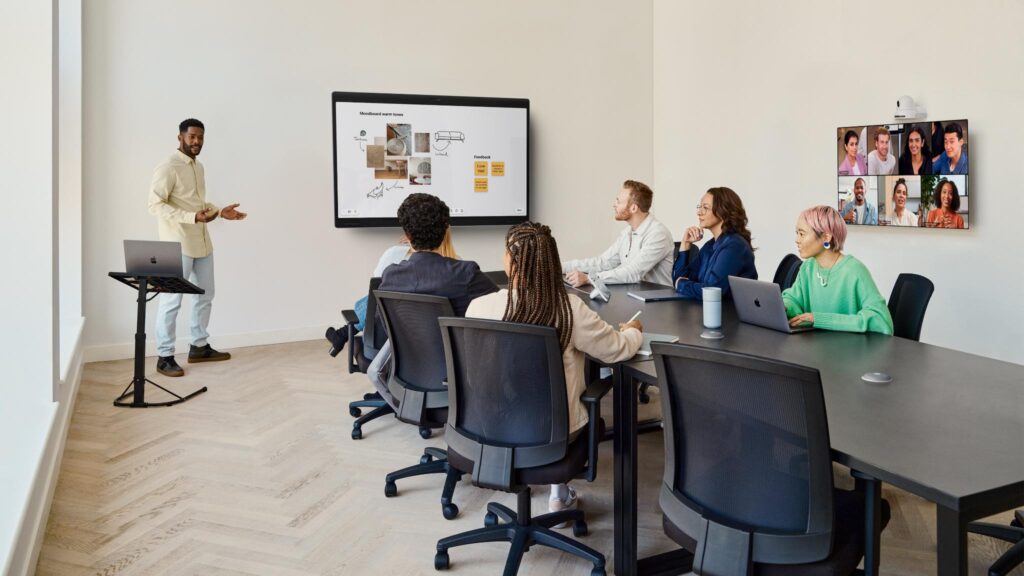
For organisations already invested in the Cisco Webex ecosystem, adding an always-on Video Window portal to their existing hardware could be simpler than they think.
Many of the world’s largest organisations run their video conferencing infrastructure on Cisco Webex hardware. The devices are enterprise-grade, deeply integrated with IT management tools, and built to last. What fewer people know is that a significant number of Cisco Webex endpoint devices are also fully capable of running Video Window — the world’s first always-on video conferencing portal — without any additional hardware.
The key is RoomOS, Cisco’s operating system for its collaboration devices, and specifically the web engine that comes with it.
How It Works: The RoomOS Web Engine
RoomOS’s web engine is, in essence, a single-tab Chromium browser running on the device — supporting most modern web technologies and able to run third-party web applications directly on the hardware. Video Window uses this capability to run its always-on portal natively on supported Cisco devices, without needing a separate computer or any additional software installation.
Any Cisco Webex endpoint that supports the web engine, includes a touchscreen, and runs RoomOS 11 or RoomOS 26 is compatible with Video Window. That covers a broad range of devices already deployed in offices around the world.
Supported Devices
Webex Board (all generations) — Cisco’s flagship interactive collaboration board is the most natural home for Video Window in a Cisco environment. The Board Pro G2 is a fully self-contained system on a high-resolution 4K LCD screen, combining a dual camera system, built-in speakers and microphones, an interactive touchscreen, and an AI-powered computing engine. Older Webex Board models support Video Window at up to 540p; newer generations run it at up to 720p. Positioned in a common area, a Webex Board running Video Window becomes an always-on portal between office locations — no additional hardware required.
Desk, Desk Pro, and Desk Mini — Cisco’s Desk series devices are designed for individual workstations and smaller collaboration spaces, each combining a camera, microphone, speaker, and touchscreen in a compact all-in-one unit. For organisations looking to give remote or hybrid workers a persistent, always-on connection back to their office, a Desk or Desk Pro running Video Window is a compelling option — particularly with Video Window Remote, which is designed for exactly this kind of individual desk-based connection.
Room Bar (with touchscreen, signage mode) — The Room Bar can be connected to a display supporting touch inputs, at which point the device automatically gains the same UI as a Cisco Board and accepts touch inputs. When running in signage mode with a touchscreen attached, the Room Bar is compatible with Video Window — making it a versatile option for organisations that want to repurpose existing Room Bar deployments for always-on connectivity.
Room Kit Mini (with touchscreen, signage mode) — Similarly, the Room Kit Mini supports Video Window in signage mode when paired with a touchscreen, with older models running at up to 540p. It’s a practical route into Video Window for organisations that already have Room Kit Mini units deployed in smaller meeting spaces.
What About Legacy Devices?
Organisations running older Cisco hardware — including the Room Kit, MX700, MX800, or SX80 — can still access Video Window. These legacy devices don’t support the RoomOS web engine natively, but compatibility can be enabled by connecting a PC to the device. For guidance on setting this up, contact the Video Window support team at [email protected].
The Bigger Picture: Protecting Your Cisco Investment
One of the most common concerns for large organisations adopting a new platform is hardware cost. For companies already running Cisco Webex infrastructure, Video Window’s compatibility with RoomOS-based devices means that always-on connectivity between offices can often be deployed on existing hardware — no new screens, no new cameras, no new procurement cycles.
The RoomOS platform is designed to provide the flexibility to run third-party meeting apps and productivity tools without the need to switch between devices and solutions — and Video Window fits squarely within that philosophy. Organisations can run Video Window as a persistent always-on portal on the same device that handles their Webex meetings, their Microsoft Teams calls, and their Zoom sessions.
For enterprise IT teams managing large Cisco deployments, that is a significant advantage: a new capability, on existing hardware, managed through the same infrastructure they already know.
To find out whether your existing Cisco Webex devices are compatible with Video Window, or for guidance on legacy device setups, visit videowindow.com or contact [email protected].