
Always-On and All-In-One: Why NearHub Smart Boards Are a Natural Fit for Video Window
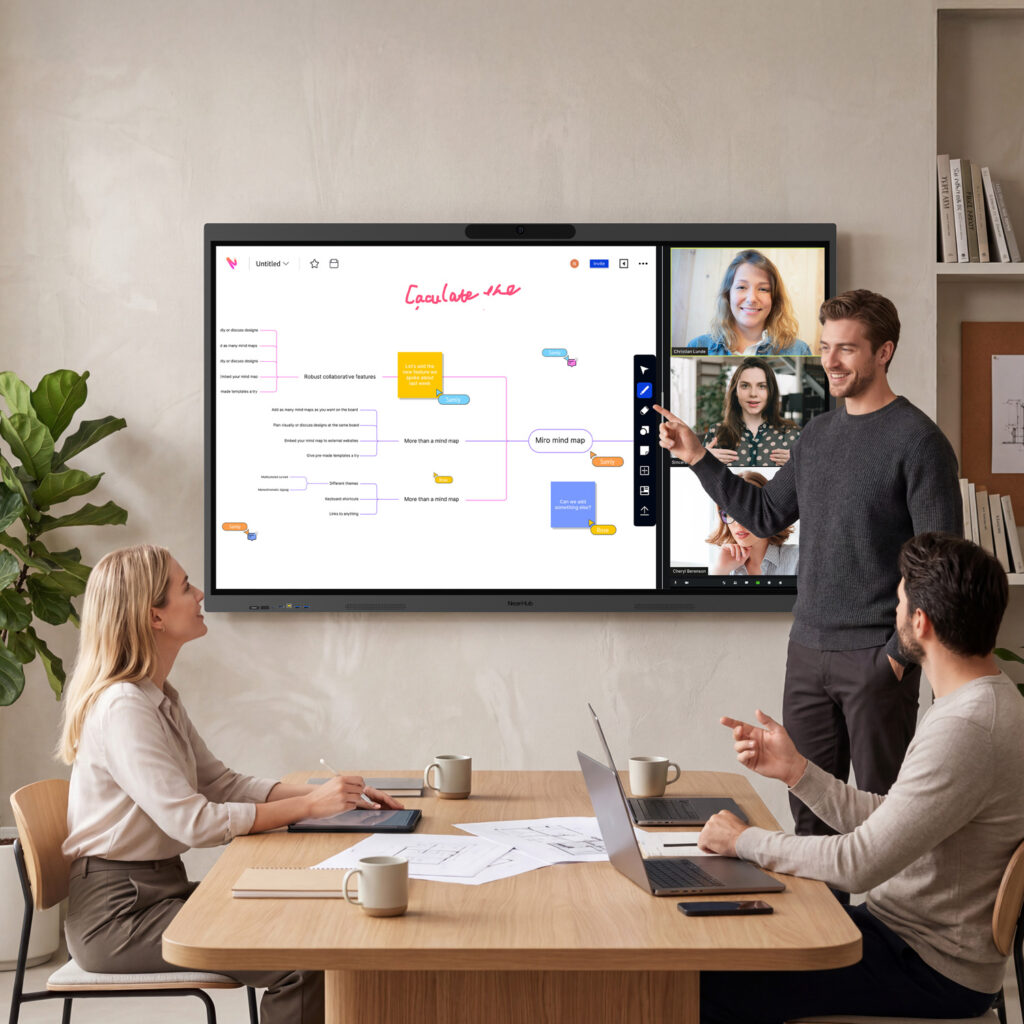
NearHub’s Windows-native interactive boards bring full PC power, 4K cameras, and AI audio to Video Window — making the always-on portal experience effortless from day one.
Video Window is the world’s first always-on video conferencing portal. Rather than scheduling a call, teams in different offices simply share a persistent, live connection throughout the working day — visible in a common area, always there, always on. Walk past the screen and you see your colleagues. Tap it and you can talk. No links, no logins, no friction.
For that experience to feel genuine, the hardware needs to be invisible — doing its job all day without anyone having to manage it. The camera should capture the space naturally. The microphones should pick up voices from across the room. And the underlying computer should run Video Window reliably, without compromise. That’s exactly where NearHub’s range of Windows smart boards comes in.
Who Is NearHub?
NearHub is an all-in-one collaboration technology brand offering interactive smart boards designed for hybrid offices, boardrooms, and classrooms. Their flagship S Series boards combine 4K touchscreens, built-in AI cameras, microphone arrays, speakers, and a full Windows PC into a single, cable-tidy unit. Rather than piecing together a display, a computer, a webcam, and a microphone separately, organisations get everything they need in one device — and because it runs full Windows, there are no software limitations or app compatibility concerns.
NearHub boards are available in sizes from 55 to 86 inches, with the S Max and S Pro lines leading the range for professional deployments.
The S Max: Purpose-Built for Video Window
The NearHub S Max is the flagship of the range and one of the most capable Windows smart boards available. Powered by a 12th Gen Intel Core i5 processor with 16GB RAM and 256GB storage, it runs Windows 11 Pro natively — meaning Video Window installs and runs as a standard Windows application, exactly as it would on any PC, with no workarounds or limitations.
The built-in AV system is particularly well-suited to Video Window’s always-on use case. A 130-degree ultra-wide 4K camera with AI auto-framing, speaker tracking, and gallery view ensures that everyone in the common area is captured naturally throughout the day — without anyone needing to adjust the camera or frame the shot manually. Eight omnidirectional microphones with AI noise reduction and an 8-metre pickup range handle audio, ensuring voices are picked up clearly wherever people are standing in the space.
The 4K UHD touchscreen supports 40-point multi-touch with 6ms response time, and the board can be wall-mounted for a fixed installation or used with an optional mobile stand with lockable wheels — giving organisations flexibility in how and where they position the Video Window portal within a space.
Because the S Max runs full Windows, teams can also use it to run Zoom Rooms or Microsoft Teams for scheduled meetings on the same device, while Video Window runs as the persistent ambient connection in the background. One screen, doing everything.
The S Pro: A Versatile Step Down, With No Compromise on Video Window
For organisations that want a NearHub board with the same Windows-native performance but at a slightly different price point, the S Pro delivers the same core AV capability — a 4K AI camera, eight omnidirectional microphones, dual front-facing speakers with Lossless Sound Enhancement Technology, and a 12th Gen Intel Core i5 processor running Windows 11. It is listed as compatible with all professional AV peripherals, including external cameras and speakerphones for larger room installations.
For Video Window, the S Pro is equally capable — offering the same full Windows runtime and the same high-quality camera and microphone system that makes the always-on portal feel natural and convincing throughout the day.
A Recommended Pairing
NearHub is listed as a recommended device in Video Window’s knowledge base, reflecting the straightforward compatibility between the two. There is no complex setup, no additional hardware to procure, and no software conflicts to manage. Install Video Window on a NearHub board, position it in your office common area, and the always-on connection between your locations is live.
For organisations that want an all-in-one device that is powerful enough to do everything — Video Window portal, formal meetings, whiteboarding, digital signage — without needing a separate computer or peripherals, NearHub’s S Max and S Pro are among the strongest options available.
To learn more about running Video Window on NearHub devices, visit videowindow.com, or explore the full NearHub range at nearhub.us.