
Getting Started with Video Window on a Budget: Why Touchwo Is Worth a Look
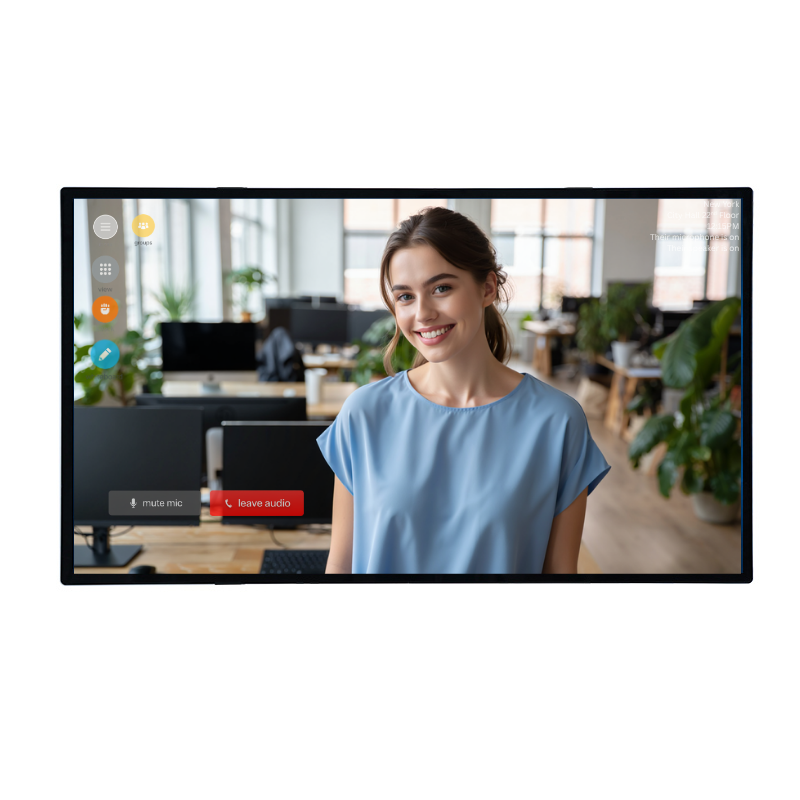
Not every Video Window deployment needs enterprise-grade hardware. Touchwo’s range of affordable interactive displays offers a smart, cost-effective route into the world’s first always-on video conferencing portal.
One of the things that sets Video Window apart from other hybrid working solutions is that it doesn’t demand expensive, proprietary hardware. The world’s first always-on video conferencing portal is designed to run on commodity equipment — a Windows or Mac computer, a decent-sized touchscreen, and a USB webcam — making it accessible to organisations of any size and budget.
That’s where Touchwo comes in.
Who Is Touchwo?
Touchwo is a touch screen and interactive display manufacturer with over 17 years of industry experience, offering a broad range of interactive flat panels, all-in-one touch PCs, and kiosk solutions. Their products — available from 32 to 98 inches — are sold globally and are FCC, CE, and RoHS certified, with ISO9001 quality management backing. They’re a practical, no-frills choice for businesses that need a reliable large-format touchscreen without the premium price tag that comes with dedicated enterprise collaboration brands.
How Touchwo Works with Video Window
Video Window runs as a standard Windows application, and Touchwo’s Windows-based interactive displays are a natural fit. Their smart boards — available in 43, 55, 65, 75, and 98-inch sizes — run Windows 10 or 11 as the primary or secondary OS, giving Video Window a stable, full-featured platform to run on. Plug in a USB webcam and a microphone, connect to the network, and a Touchwo display becomes a fully functional Video Window portal.
For offices that already have a laptop or mini PC available, Touchwo’s range of standalone touchscreen monitors (without built-in compute) can be connected via HDMI, turning any existing Windows machine into a Video Window device for a fraction of the cost of an all-in-one collaboration board.
The displays support HDMI input and USB OTG connectivity, screen mirroring from phones and laptops, built-in speakers, and Wi-Fi — all the connectivity options needed for a straightforward Video Window setup. Their dual-OS models (Android and Windows on the same device) give added flexibility, and the large-format sizes — particularly 65 and 75 inches — deliver the life-sized feel that makes Video Window’s always-on portal genuinely immersive.
The Cost Advantage
A Touchwo 65-inch Windows smart board can be purchased for a fraction of the price of a comparable enterprise all-in-one. For organisations deploying Video Window across multiple locations simultaneously, that saving multiplies quickly. And because Video Window’s hardware requirements are genuinely modest — a capable Windows PC, a large touchscreen, a wide-angle webcam — Touchwo’s lineup covers everything needed without paying for capabilities that the use case doesn’t require.
The value proposition is straightforward: get the always-on portal experience up and running quickly, affordably, and without complexity — then scale up to more premium hardware if and when the need arises.
A Practical Starting Point
Video Window is explicit about its philosophy: the portal should work on everyday hardware, not just high-end AV equipment. Touchwo embodies that philosophy. Their displays are plug-and-play, widely available, backed by 24/7 customer support and a 455-day warranty, and they cover every room size from a small reception desk to a large open-plan floor.
For any organisation that wants to experience what an always-on connection between their teams can do — without committing to a large capital outlay — starting with a Touchwo display and Video Window is a genuinely compelling option.
Ready to get started? Visit videowindow.com for a free trial, and explore Touchwo’s range of interactive displays at touchwo.com.